
Top Stories
_____________________________________________
 Fat Jump Pro (By SID On)Developer: SID On Price: $0.99 Version Reviewed: 1.2 Download: here Requirements: Compatible with iPhone, iPod touch, and iPad.Requires iOS 4.0 or later. Located in the Warsow,Poland-SID on an independent mobile application developer has announced a recent update of Fat Jump Pro for the iPhone,iPad and iPod touch.Fat Jump Pro is a fast paced vertical arcade action for the iOS devices.Using the tilt controls the player must guide the jumping,little green hero (a healthy and crispy cucumber) up a never ending series of platforms... |
|


Latest Stories
______________________________________________


Thursday, 10 November 2011
5 Hidden Features in iOS 5
Do you like this story?

Who knew Apple's iOS 5 mobile operating system held so many secrets? Developers and sleuthing hackers have been hard at work since Apple released the OS in October unearthing a number of hidden features and tweaking the OS to do things it was never intended to do.
Here are five hidden gems and tweaks to iOS 5 that may surprise you.
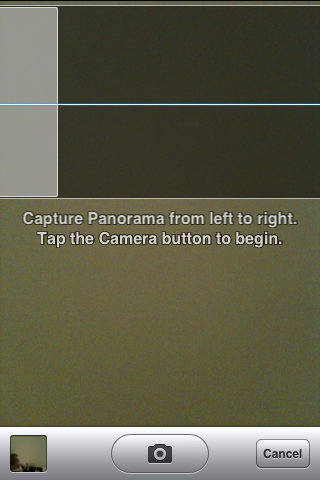 credit to Conrad Kramer - https://twitter.com/#!/conradevPanorama Camera Mode
My colleague Albert Filice reported on a way to turn on panoramic mode for picture taking without having to jailbreak your device (via Razorianfly). The process involves using a backup program, iBackupBot, to edit and add a line or two of code in a system file. Some iOS devices may crash when trying to use the newly-activated mode, but there's plenty of reports of iOS users taking extremely wide photos.
 Image Credit: 9to5Mac.comAutocorrect Keyboard Bar
Apple has apparently hidden a suggested autocorrect bar for the on-screen keyboard which looks an awful lot like something you might see on an Android device. It lists possible corrections for misspellings just above the keyboard. To bring it out into the light, you'll need to use iBackupBot again to make some changes to code, according to 9to5Mac.
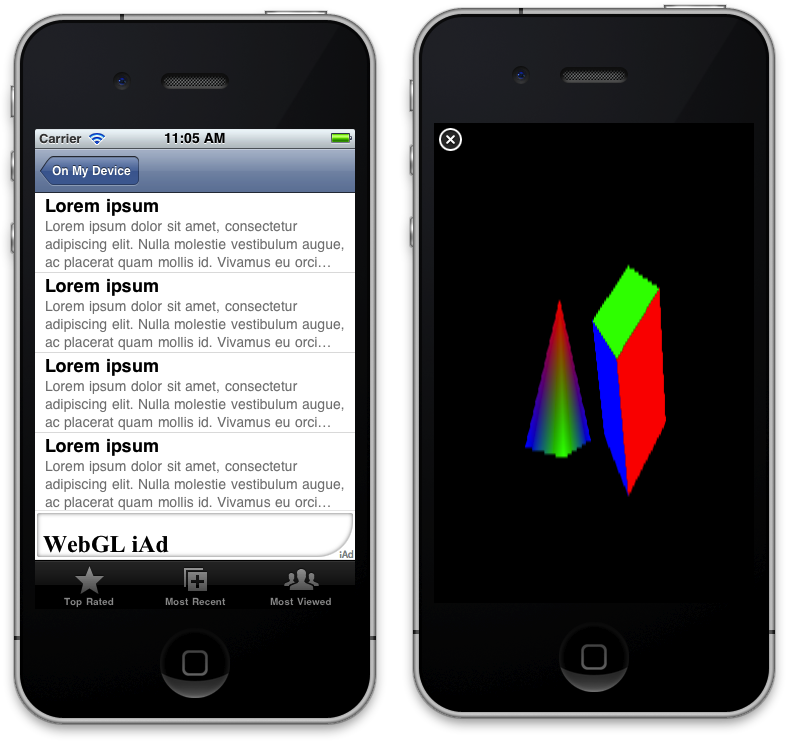 Image Credit: Nathan de VriesHidden 3D
Apple is one of the backers of something called WebGL, a standard for rendering embedded 3D objects on the web. It has said it will support WebGL in iOS, but only within advertisements. But an Australian developer figured out how to render WebGL 3D objects in iOS and outside of ad frames, with the help of some third-party APIs. What this means in plainer English is that developers could theoretically add 3D objects to new iOS apps, although Apple probably wouldn't approve them for the App Store. Nonetheless, it all indicates that Apple could have broader plans for iOS and 3D in the future.
 Image Credit: AppleResurrecting iPad Multitouch
Some original iPad users were dismayed to find that when they upgraded to iOS 5, multi-touch gesturing capability had mysteriously disappeared. The gestures originally had to be enabled after the fact with some free developer software. iOS 5 introduced the feature officially to the iPad2, while simultaneously locking it out of the original iPad. Fortunately for users that got used to the gestures, a coder at modmyi.com came up with a fix to restore the capability without having to jailbreak the device.
Tweeting via Siri
 This one is more an involved work-around than a hidden feature, but it provides a way to Tweet directly from Siri—a function many iPhone 4S users have been surprised to find wasn't baked in to iOS 5. The idea is basically to use Siri to text your tweet to Twitter. There are detailed instructions on the Buffer blog.
via:pcworld.com


This post was written by: Irfan Jam
Irfan Jam is a professional blogger, web designer and front end web developer. Follow him on Facebook


0 Responses to “5 Hidden Features in iOS 5”
Post a Comment